Best Free Apps Every Indian Should Have on Their Phone in 2026

Indian person scrolling through apps on a smartphone with popular app icons visible on screen

I have 47 apps on my phone. I actively use 11 of them. The other 36 exist because I installed them once for something specific, forgot to delete them, and they now quietly drain battery and storage.

This list is the 11 — the ones I would install on day one if I got a new phone tomorrow. No sponsored recommendations, no apps I was asked to include. Just the ones that have genuinely made daily life easier.


For Payments — BHIM UPI

Most people use PhonePe or Google Pay for UPI which is fine. But BHIM — the government’s own UPI app — has one advantage neither of the others has: it works reliably on low internet connections and older Android phones.

For anyone in a Tier 2 or Tier 3 city where internet speeds are inconsistent BHIM is noticeably more reliable for completing transactions when the connection is weak. Free, no ads, no promotional clutter.

Download: Search “BHIM” on Play Store. Published by NPCI — National Payments Corporation of India.


For Train Booking — IRCTC Rail Connect

The official IRCTC app is the only way to book Tatkal tickets reliably on mobile. Third-party train booking apps (MakeMyTrip, Cleartrip, Ixigo) work fine for normal bookings but Tatkal booking requires being logged in on IRCTC at exactly 10 AM (for AC classes) or 11 AM (for Sleeper). Third-party apps add a booking fee and sometimes lag at peak Tatkal times.

The IRCTC app is not beautiful but it is functional and direct. For anyone who travels by train regularly it is non-negotiable.


For Government Documents — DigiLocker

DigiLocker stores digital copies of your Aadhaar, PAN, driving licence, vehicle registration, academic certificates, and insurance documents. These digital copies are legally valid — you do not need physical documents for most purposes where you previously needed to carry originals.

I have not carried a physical driving licence in two years. The DigiLocker version on my phone is accepted at police checkpoints, at RTO offices, and for most KYC processes.

Download: Search “DigiLocker” on Play Store. Published by Ministry of Electronics and IT, Government of India.


For Health Records — ABHA (Ayushman Bharat Health Account)

ABHA creates a unique health ID that stores your medical records, prescriptions, lab reports, and health history digitally. Doctors and hospitals who are registered on the Ayushman Bharat Digital Mission can access your records with your permission.

This is still building momentum in India — not every hospital is on the system yet. But registering now costs nothing and the health record storage is genuinely useful even independently of the hospital network.

Download: Search “ABHA” on Play Store.


For Daily News — Inshorts

Inshorts summarises every news story in 60 words. For people who want to stay informed but do not have time to read full articles it is genuinely the most efficient news consumption available.

The summaries are accurate and clearly sourced. You can read through 20 news stories in 5 minutes. Covers Indian and international news across politics, business, sports, and technology.

I check it for 5 minutes every morning with chai. Better than scrolling through a full news site and getting pulled into comment sections.


For Air Quality — Sameer (CPCB)

Anyone living in Delhi, Mumbai, Pune, or any large Indian city should have the Sameer app. Published by the Central Pollution Control Board it shows real-time AQI (Air Quality Index) for your location and for cities across India.

On days when AQI exceeds 300 in Delhi — which happens regularly in winter — knowing before you step out whether to wear a mask is practically useful. The data comes directly from government monitoring stations.

Download: Search “Sameer CPCB” on Play Store.


For Emergencies — 112 India

The 112 India app is the unified emergency response app for Police, Ambulance, and Fire services. Beyond calling 112 the app has a panic button feature that sends your GPS location to emergency services and to your registered emergency contacts simultaneously.

For women travelling alone, for elderly family members, or for anyone in an area with unfamiliar surroundings this app is worth having installed and set up even if you never need to use it.

Download: Search “112 India” on Play Store. Published by Ministry of Home Affairs, Government of India.


For Learning — DIKSHA

DIKSHA is the government’s e-learning platform with courses, textbooks, and educational content from Class 1 through competitive exam preparation. The content is in multiple Indian languages and is completely free.

For students in government schools, for parents supporting their children’s education, and for anyone preparing for government competitive exams the content quality is genuinely good and the price is unbeatable.

How to Apply for a Driving Licence Online in India in 2026

Indian driving licence card next to a smartphone showing the Parivahan Sewa government website

Getting a driving licence in India used to mean taking half a day off work, standing in a long queue at the RTO, and hoping the officer at the counter was in a good mood.

The process has genuinely improved. Most states now allow the complete application online through the Parivahan portal. My cousin in Pune got her learning licence approved without visiting the RTO at all — the test was online and the licence was delivered by post.

Here is the complete process.


Step 1 — Go to the Official Portal

sarathi.parivahan.gov.in

This is the official Ministry of Road Transport portal. Do not use any third-party agents or websites — they charge fees for a process you can do yourself for free (except the government fee).

Select your state from the dropdown menu.


Step 2 — Apply for Learning Licence First

You cannot apply for a permanent driving licence without first holding a learning licence for at least 30 days.

On the Sarathi portal: Driving Licence → Apply for Learner Licence → fill the application form

You will need:

  • Aadhaar number for identity verification
  • Address proof (Aadhaar serves this purpose)
  • Date of birth proof (Aadhaar or Class 10 certificate)
  • Passport-size photograph
  • Signature (you will upload a scanned image)

Fee: ₹200 for learning licence application


Step 3 — Take the Learning Licence Test

The learning licence test is a 20-question online multiple choice test on traffic rules and road signs. You need to score at least 60% (12 out of 20) to pass.

The test is available in Hindi, English, and most regional languages. You can take it:

  • At the RTO (scheduled appointment)
  • Online from home in states that have enabled remote testing

Study material is available free on the Sarathi portal under “Study Material for LL Test.” Spend one hour reading through it the day before — the questions are straightforward and based entirely on standard traffic rules and road sign meanings.


Step 4 — Receive Your Learning Licence

After passing the test your learning licence is generated digitally. You can download it from the Sarathi portal and save it on your phone — DigiLocker integration means it is legally valid on your phone without printing.

The learning licence is valid for 6 months. You must practice driving during this period and apply for your permanent licence after a minimum of 30 days.


Step 5 — Apply for Permanent Driving Licence

After 30 days of holding your learning licence:

Sarathi Portal → Apply for Driving Licence → select your learning licence number

Book a driving test appointment at your nearest RTO. This is the one step that still requires a physical visit in most states.

Documents to carry on test day:

  • Learning licence (printed or on DigiLocker)
  • Aadhaar card original
  • Application fee receipt

Fee: ₹300–₹500 depending on vehicle category (two-wheeler, four-wheeler, or both)


Step 6 — The Driving Test

The driving test at most RTOs involves:

  • Basic vehicle control demonstration
  • Driving on a marked track with specific manoeuvres
  • Knowledge of hand signals in some RTOs

The test is straightforward if you have actually practiced driving for the 30-day learning period. The most common failure reason is nervousness rather than skill — the test track manoeuvres are basic.


Step 7 — Receive Your Permanent Licence

After passing the test your permanent driving licence is processed and delivered by Speed Post to your registered address within 7–21 days.

You can track the status at the Sarathi portal using your application number. The licence is also available on DigiLocker before the physical card arrives — the DigiLocker version is legally valid for driving.


Fees Summary

Step Fee
Learning licence application ₹200
Permanent licence (two-wheeler) ₹300
Permanent licence (four-wheeler) ₹300
Both categories together ₹500
Smart card licence ₹200 additional

Total for a standard four-wheeler licence from start to finish: approximately ₹700–₹800 in government fees.

How to Reduce Your Electricity Bill in India: What Actually Works

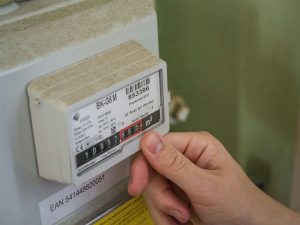
Indian electricity meter on a wall next to a monthly power bill showing high units consumed

My electricity bill last July was ₹4,200. The July before that it was ₹2,800. Same flat, same number of people, same city. The difference was one additional air conditioner that we ran carelessly — no temperature discipline, no timer, running through the night.

I spent an afternoon reading about electricity consumption and made five changes. The August bill was ₹2,600 — lower than the previous year despite still using the AC.

Here is exactly what made the difference.


Understand Your Bill First

Before reducing your bill you need to understand what is driving it. Most Indian electricity bills show units consumed (kWh) rather than appliance-by-appliance breakdown.

The heaviest consumers in a typical Indian household in order:

  1. Air conditioner — 1.5 ton AC uses approximately 1.5 units per hour
  2. Geyser/water heater — uses 2 units per hour but typically runs only 15–20 minutes
  3. Refrigerator — runs 24 hours but modern BEE 5-star rated fridges use only 1–1.5 units per day
  4. Washing machine — 0.5–1 unit per wash cycle
  5. Ceiling fans — surprisingly low at 0.075 units per hour each

If your bill is high the answer is almost certainly your AC usage.


The AC Changes That Made the Biggest Difference

Set temperature to 24°C minimum Every degree below 24°C increases AC power consumption by approximately 6%. Running at 18°C versus 24°C costs roughly 36% more electricity. 24°C with a ceiling fan feels exactly as comfortable as 20°C without one.

Use the timer — every single night Set the AC to turn off 2 hours after you fall asleep. You do not need it running at full power all night. The room stays cool for 2–3 hours after the AC turns off. This one change reduced my bill by approximately ₹400 per month.

Clean the filter every month A dirty filter makes the AC work harder to push air through. Cleaning takes 10 minutes with running water. A clean filter improves efficiency by 5–15% depending on how dirty it was.

Service the AC before summer Annual servicing costs ₹500–₹800 and ensures the refrigerant level is correct and coils are clean. An underserviced AC can use 20–30% more electricity than a properly maintained one.


The Geyser — Easy Savings

Geysers are power-hungry but easy to manage.

Turn it on 15 minutes before use — not an hour before Modern geysers heat water in 10–15 minutes. Turning it on 45 minutes before your shower and leaving it on wastes significant electricity keeping water hot that then cools down.

Set the thermostat to 55°C Most geysers come set to 60–65°C which is hotter than necessary for bathing. 55°C is comfortable and uses less electricity to maintain.

Consider a solar water heater If you live in your own house with roof access a solar water heater costs ₹15,000–₹25,000 to install and eliminates your geyser electricity cost almost entirely. Payback period in most Indian cities is 2–3 years. After that it is essentially free hot water.


Refrigerator — Small Changes, Real Savings

Do not place it near the stove or in direct sunlight A fridge placed near a heat source works harder to maintain internal temperature. If possible keep it in the coolest part of the kitchen.

Leave space behind it The compressor coils at the back need airflow to dissipate heat. A fridge pushed flush against the wall runs hotter and less efficiently. 10 cm of space behind makes a measurable difference.

Do not put hot food directly inside Let food cool to room temperature before refrigerating. Hot food raises the internal temperature and makes the compressor work harder.


Lighting — Switch to LED If You Have Not Already

If you are still using tube lights or CFL bulbs anywhere in your home switching to LED is the single fastest payback investment in home electricity savings.

A 10-watt LED produces the same light as a 40-watt CFL. The LED costs ₹80–₹150 and lasts 25,000 hours. The electricity saving pays for the LED in approximately 3 months of normal use.

Every non-LED bulb in your home is costing you more money every month than the LED replacement costs.


The BEE Star Rating — Always Check Before Buying

Every new appliance in India carries a BEE (Bureau of Energy Efficiency) star rating from 1 to 5. Five stars is the most efficient. The difference between a 3-star and 5-star AC over 5 years of use can be ₹15,000–₹20,000 in electricity costs.

When buying any new appliance — AC, refrigerator, washing machine, geyser — always choose 5-star rated models. The upfront cost is slightly higher. The lifetime cost is significantly lower.

Check ratings at the official BEE portal: beestarlabel.com


Realistic Savings Estimate

For a typical Mumbai household spending ₹3,000–₹4,000 per month on electricity these changes combined typically save ₹600–₹1,200 per month. Annual saving: ₹7,000–₹14,000. That is real money requiring no investment beyond behaviour changes and one AC service call.

How to Get a Passport in India in 2026: Everything You Actually Need to Know

Indian navy blue passport on a wooden table next to a smartphone showing the Passport Seva online portal

My first passport application in 2016 took four months and three separate visits to the Passport Seva Kendra. I made every possible mistake — wrong photograph size, missing document, wrong form filled. The officer at the counter was patient but clearly exhausted by the number of people who arrived unprepared every single day.

My younger sister applied last year. She had her passport in 21 days from the day she submitted the application. Same country, same government system, completely different experience — because she prepared properly.

Here is exactly how to do it right the first time.


Step 1 — Create Your Account on Passportindia.gov.in

Everything starts at the official portal: passportindia.gov.in

Click “New User Registration” and create an account using your email address. Remember this login — you will need it for tracking your application later.

One common mistake: people create accounts and then forget which email they used. Use a Gmail you check regularly and write the login details somewhere safe before moving forward.


Step 2 — Decide Which Type of Passport You Need

Fresh passport — if you have never had a passport before Renewal — if your existing passport is expired or expiring within 12 months Tatkaal — if you need the passport urgently (within 1–7 days for genuine emergencies)

For a fresh passport the fee is ₹1,500 for a 36-page booklet and ₹2,000 for a 60-page booklet. Tatkaal adds ₹2,000 on top of the base fee.

Most people should get the 36-page booklet unless they travel internationally very frequently. 36 pages is enough for 10–12 years of normal travel.


Step 3 — Fill the Online Form

Login to your account → Apply for Fresh Passport → fill Form 1.

The form asks for:

  • Personal details exactly as they appear on your Aadhaar
  • Address details
  • Emergency contact
  • Details of any previous passports
  • Details of any criminal cases (be honest — false declarations are a serious offence)

Most important: Your name, date of birth, and address must match your Aadhaar card exactly. Even small differences — “Mahesh” vs “Mahesh Kumar”, or an address that differs by one word — will cause problems at verification.


Step 4 — Book Your Appointment

After filling the form you will be asked to book an appointment at your nearest Passport Seva Kendra (PSK) or Post Office Passport Seva Kendra (POPSK).

PSKs are in major cities. POPSKs are in smaller towns and often have shorter waiting times. If you live near a POPSK use it — the service is identical to a PSK and the queues are typically shorter.

Appointment slots are available 2–4 weeks in advance in most cities. In Mumbai and Delhi slots fill up quickly — check the portal early in the morning when new slots are released.


Step 5 — Documents to Carry on Appointment Day

Carry originals AND self-attested photocopies of everything:

Proof of Identity (any one):

  • Aadhaar card — easiest and most accepted
  • PAN card
  • Voter ID

Proof of Address (any one):

  • Aadhaar card (serves as both identity and address)
  • Bank passbook with current address
  • Utility bill (electricity/water) not older than 3 months

Date of Birth Proof (any one):

  • Birth certificate
  • Class 10 mark sheet with date of birth
  • Aadhaar card

Photographs:

  • 2 recent passport-size photographs (4.5 cm × 3.5 cm, white background, no glasses)

Step 6 — The Appointment Itself

Arrive 15 minutes before your appointment time. Carry a printed copy of your appointment confirmation or show it on your phone.

The PSK process has three counters:

  • Counter A — document verification
  • Counter B — data verification on screen
  • Counter C — final approval and biometrics (photograph and fingerprints)

The entire process takes 45 minutes to 2 hours depending on how busy the centre is. You will receive an SMS confirmation after Counter C is done.


Step 7 — Police Verification

For a fresh passport police verification is required. A police officer from your local station will visit your registered address — or you may be called to the police station.

The officer checks that you live at the address you mentioned, verifies your identity documents, and submits a report. This is the step that takes the most time — anywhere from 3 days to 3 weeks depending on your local police station’s workload.

Tip: Be available at your registered address during the first week after your PSK appointment. Missing the police officer means delays.


Step 8 — Receive Your Passport

After police verification is completed your passport is printed and dispatched by Speed Post. You can track it on the India Post website using the tracking number sent to your registered mobile.

Total time from appointment to receipt:

  • Normal: 21–30 days
  • Tatkaal: 7–14 days
  • If police verification is delayed: up to 60 days

The Most Common Mistakes — Avoid These

Mistake 1: Name on form does not match Aadhaar exactly Mistake 2: Photograph has background other than white or shows glasses Mistake 3: Not carrying original documents — photocopies alone are not accepted Mistake 4: Address on Aadhaar is different from current address — update Aadhaar first Mistake 5: Booking appointment before filling the form completely